 Shortcut Actions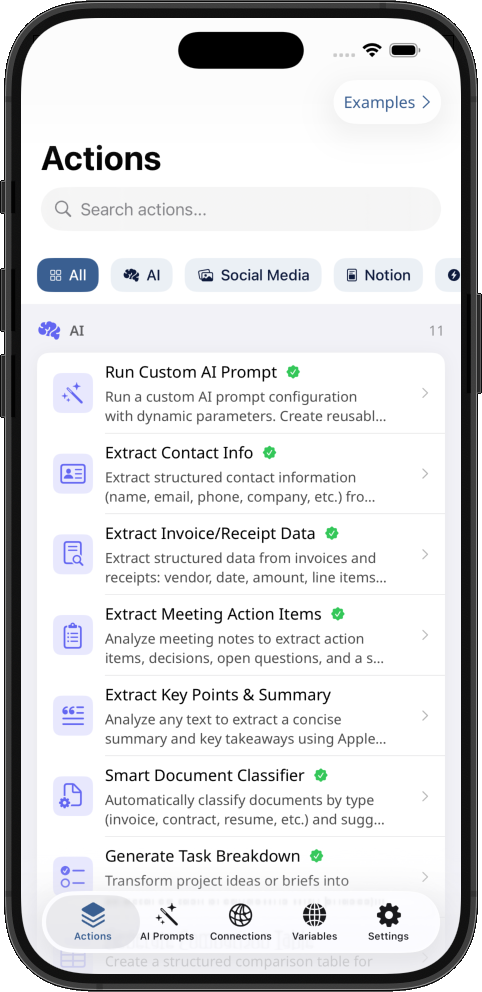
Supercharge Apple Shortcuts
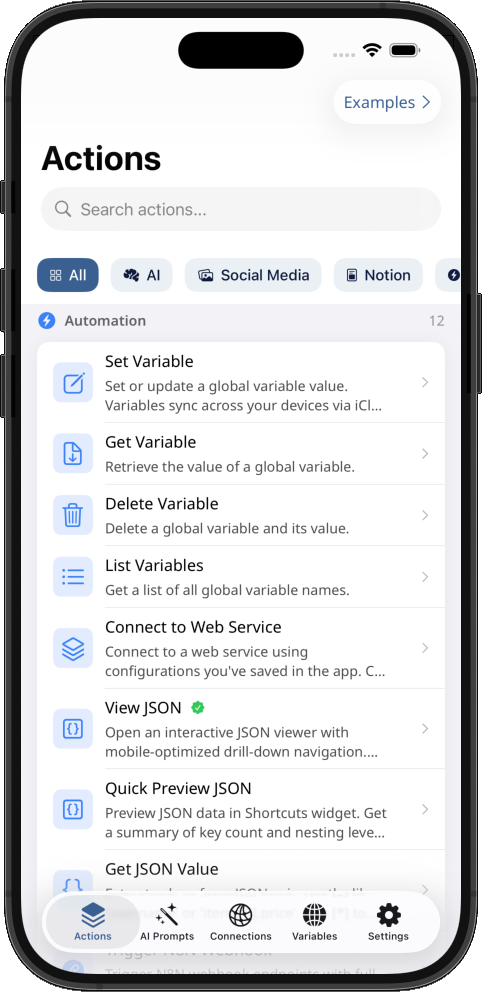
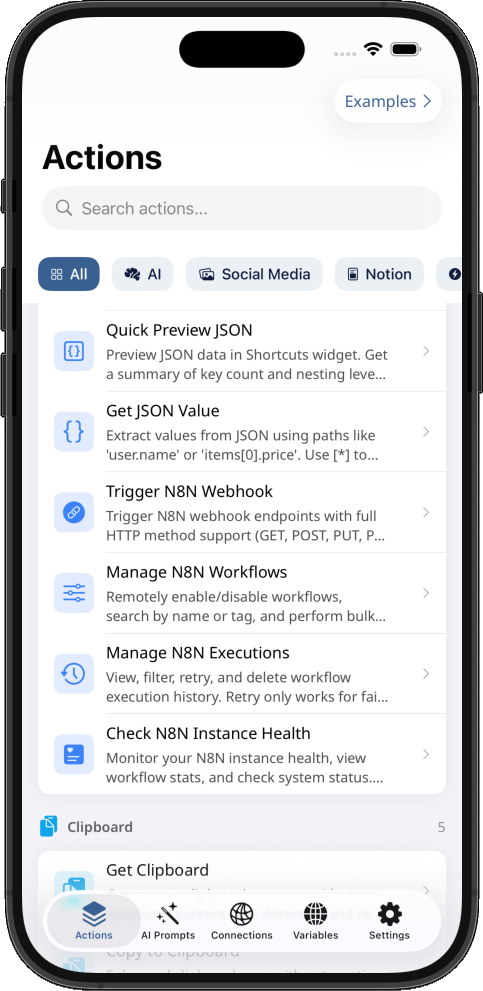
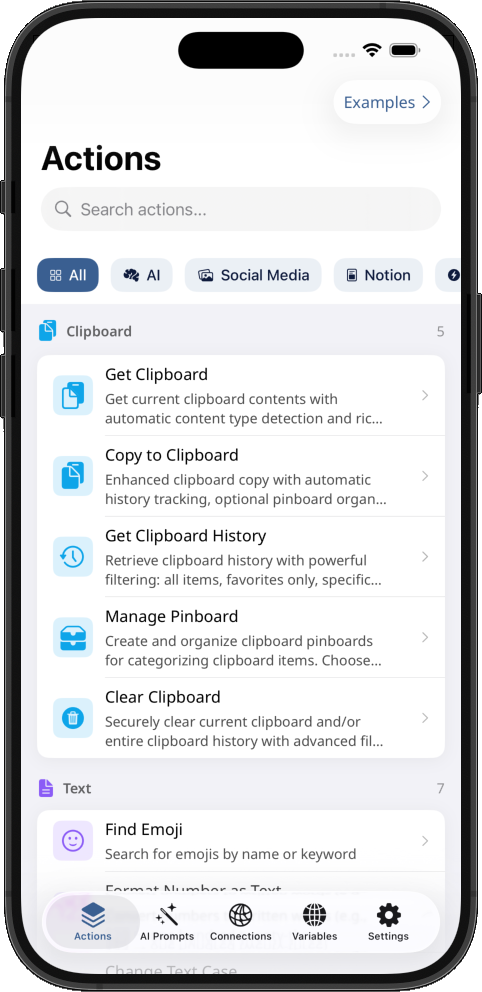
78+ Powerful Actions for Apple Shortcuts
Transform your Apple Shortcuts with AI prompts manager, AI actions, secure global variables, powerful automation and debugging tools. Easily create, edit and reuse AI prompts in Shortcuts. Seamlessly, manage Notion databases and connect to any web service. Unlock the full potential of Apple Intelligence and Automation.

Powerful Actions
AI-Powered
Free Actions
Ready-to-Use Templates
Powerful Features
Everything you need to build advanced automation and shortcuts for your iPhone & iPad
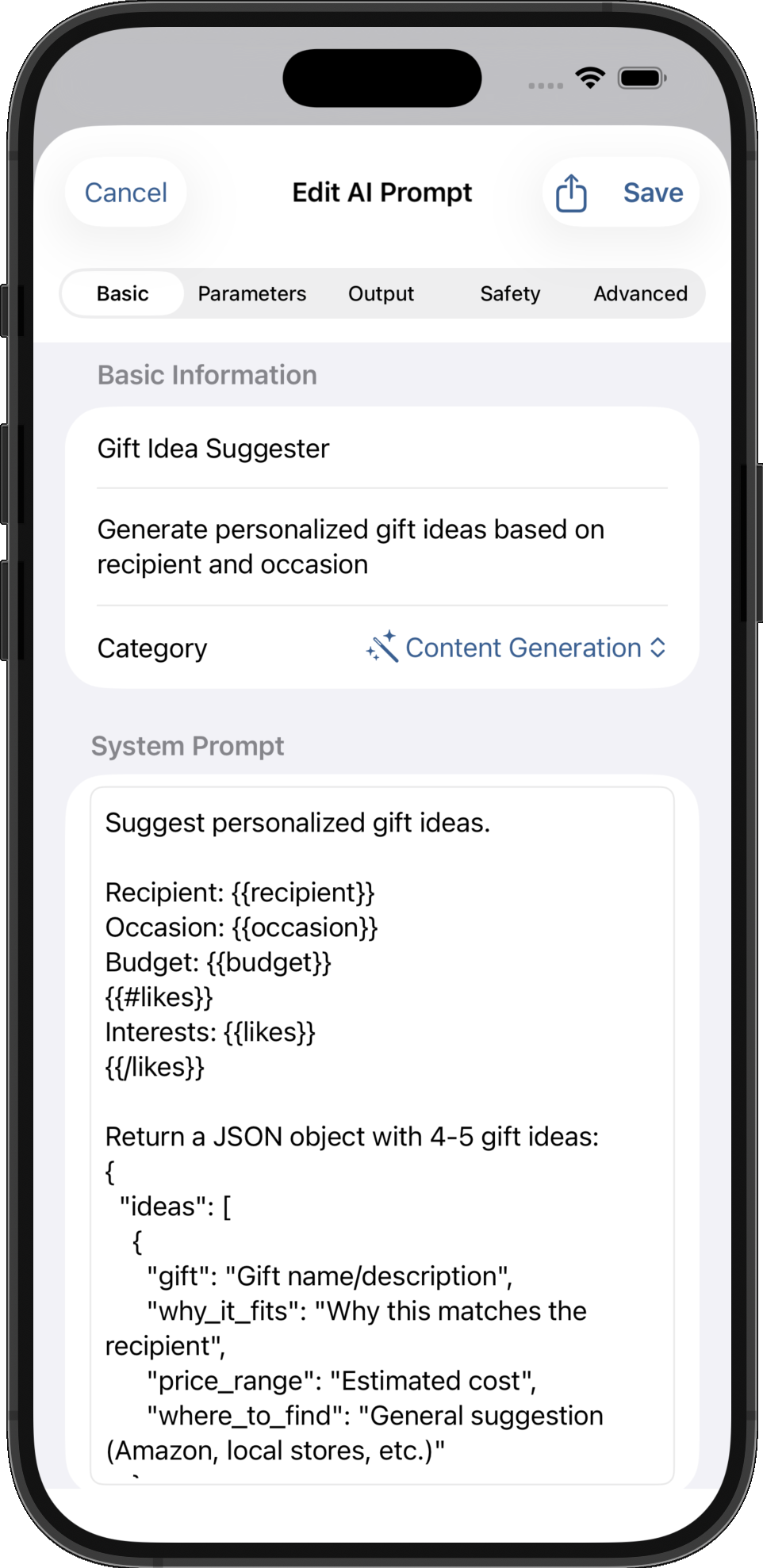
AI Prompts Manager
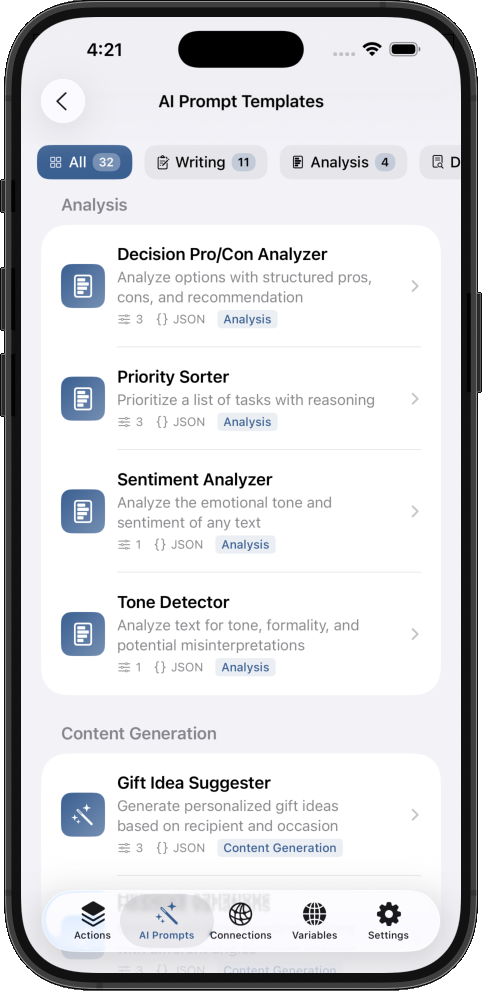
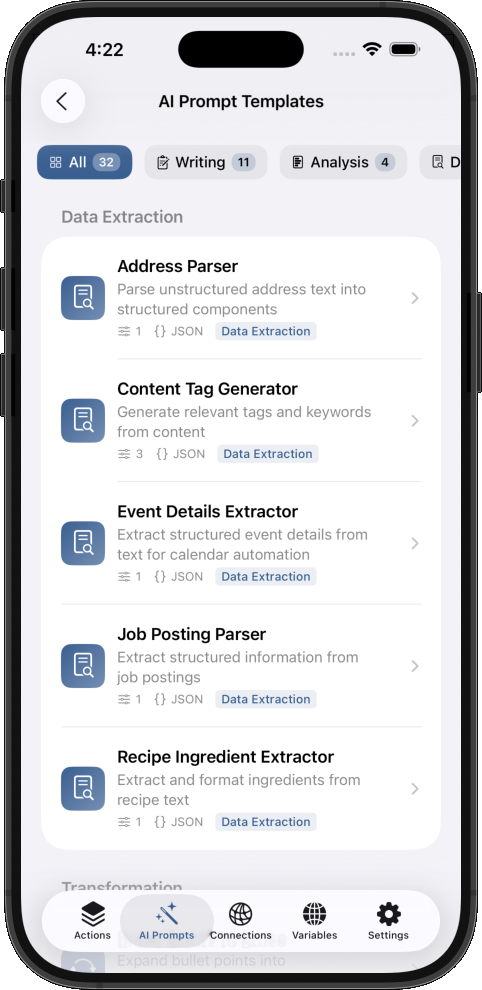
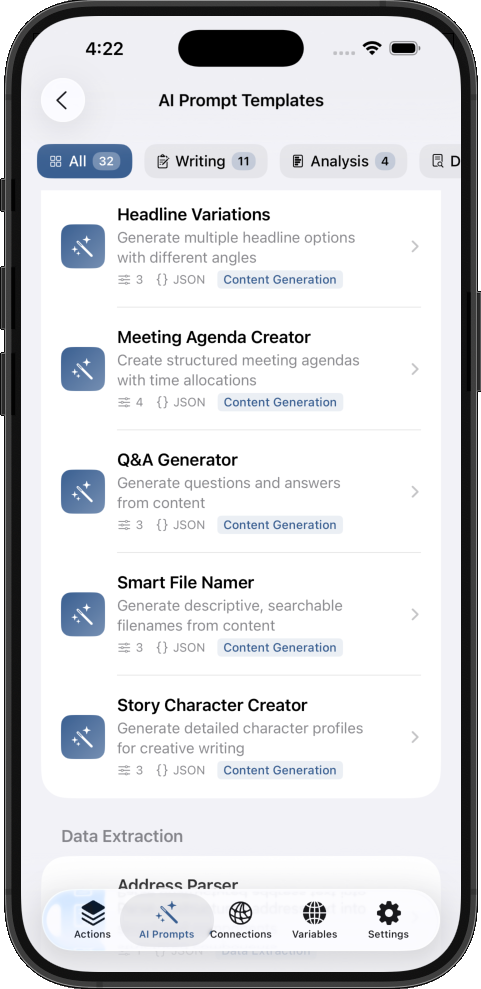
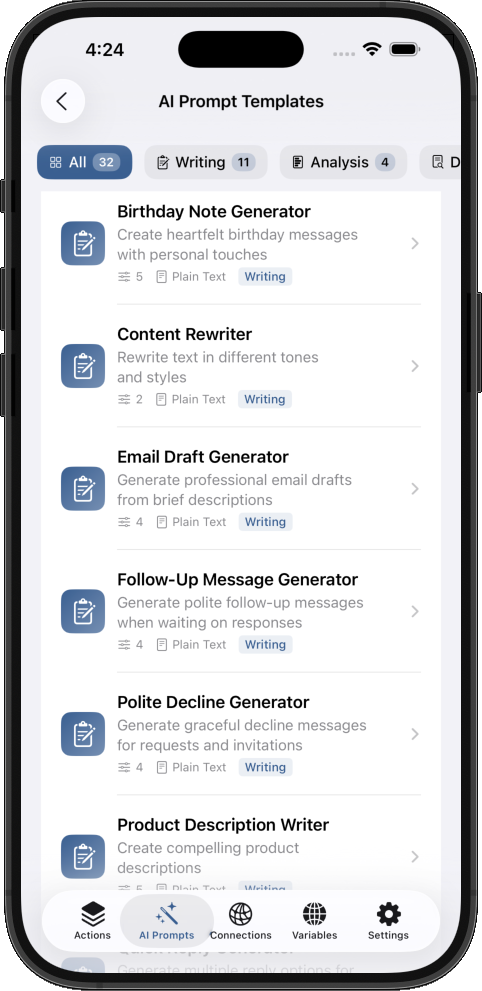
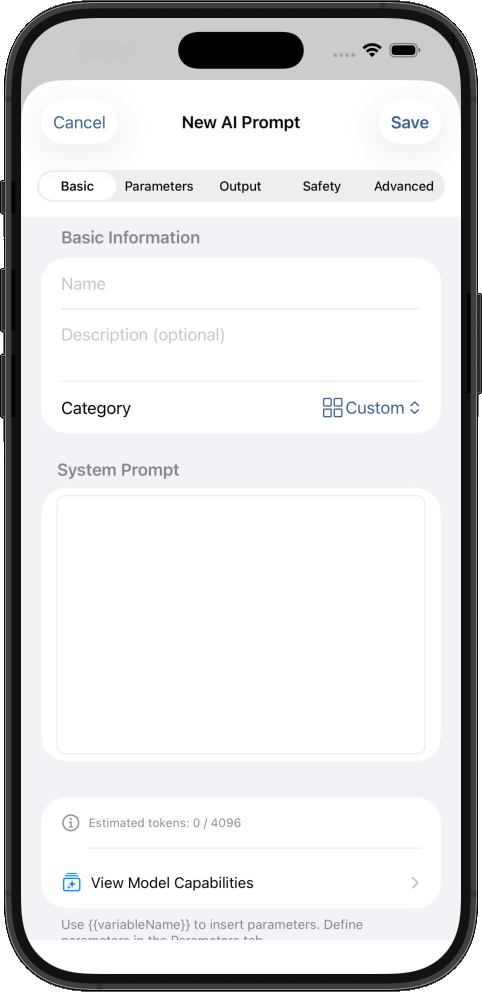
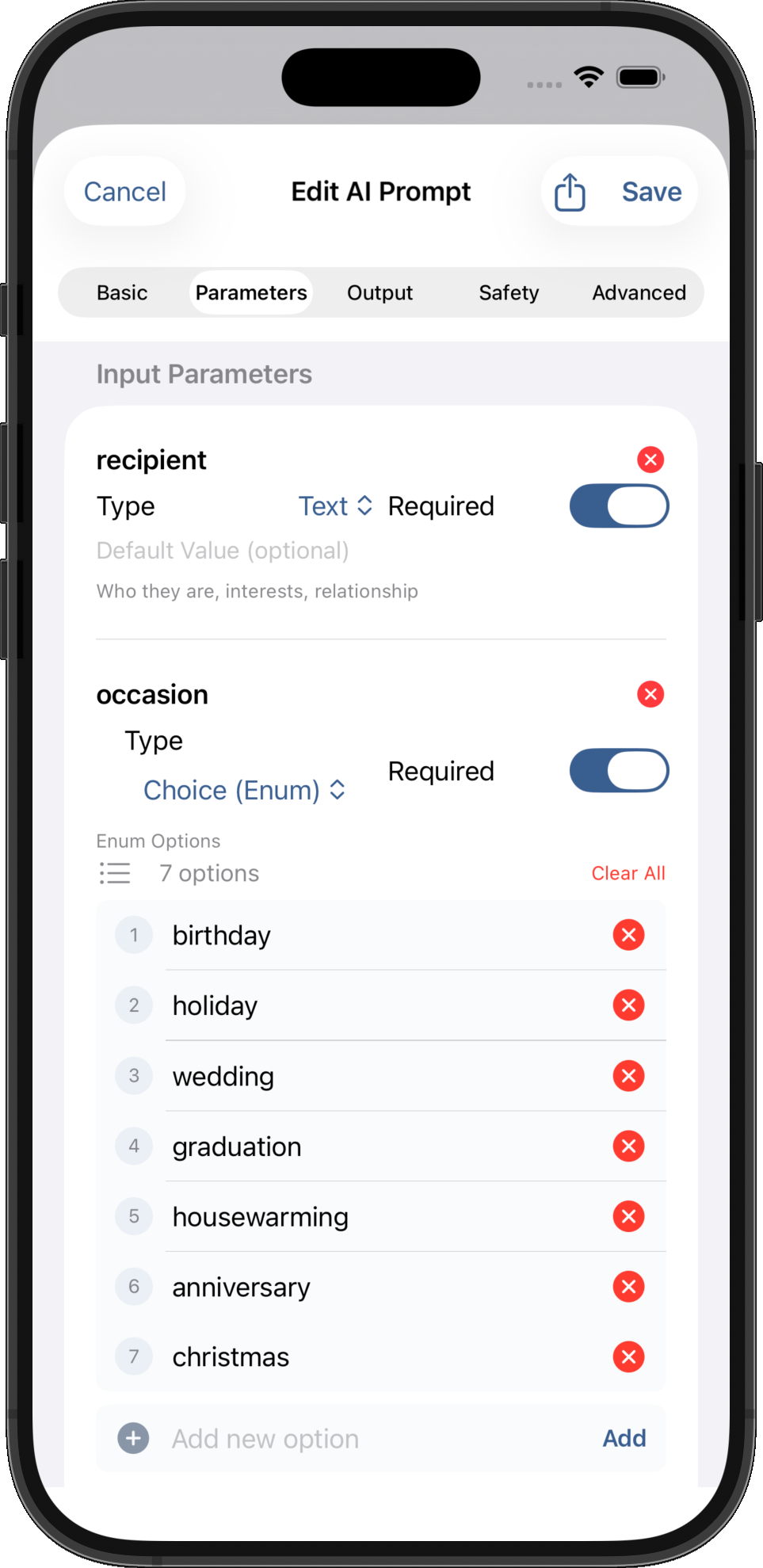
Create reusable AI prompt templates with dynamic variables, real-time token estimation, and 30+ ready-to-use templates. Transform Apple Intelligence workflows with professional prompt management, CloudKit sync, and organized libraries.
AI-Powered Actions
Leverage private on-device Apple Intelligence for contact extraction, invoice parsing, meeting summaries, intelligent document classification and more.
Debugging for Shortcuts
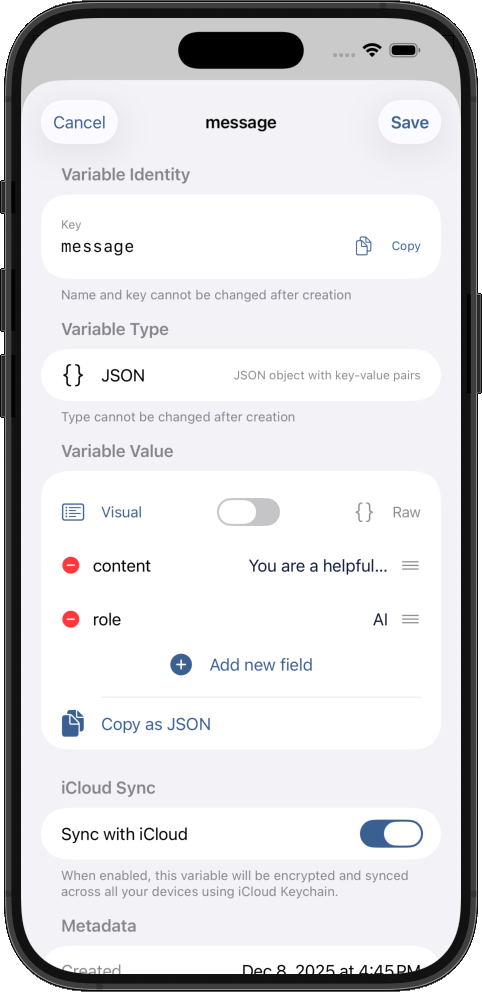
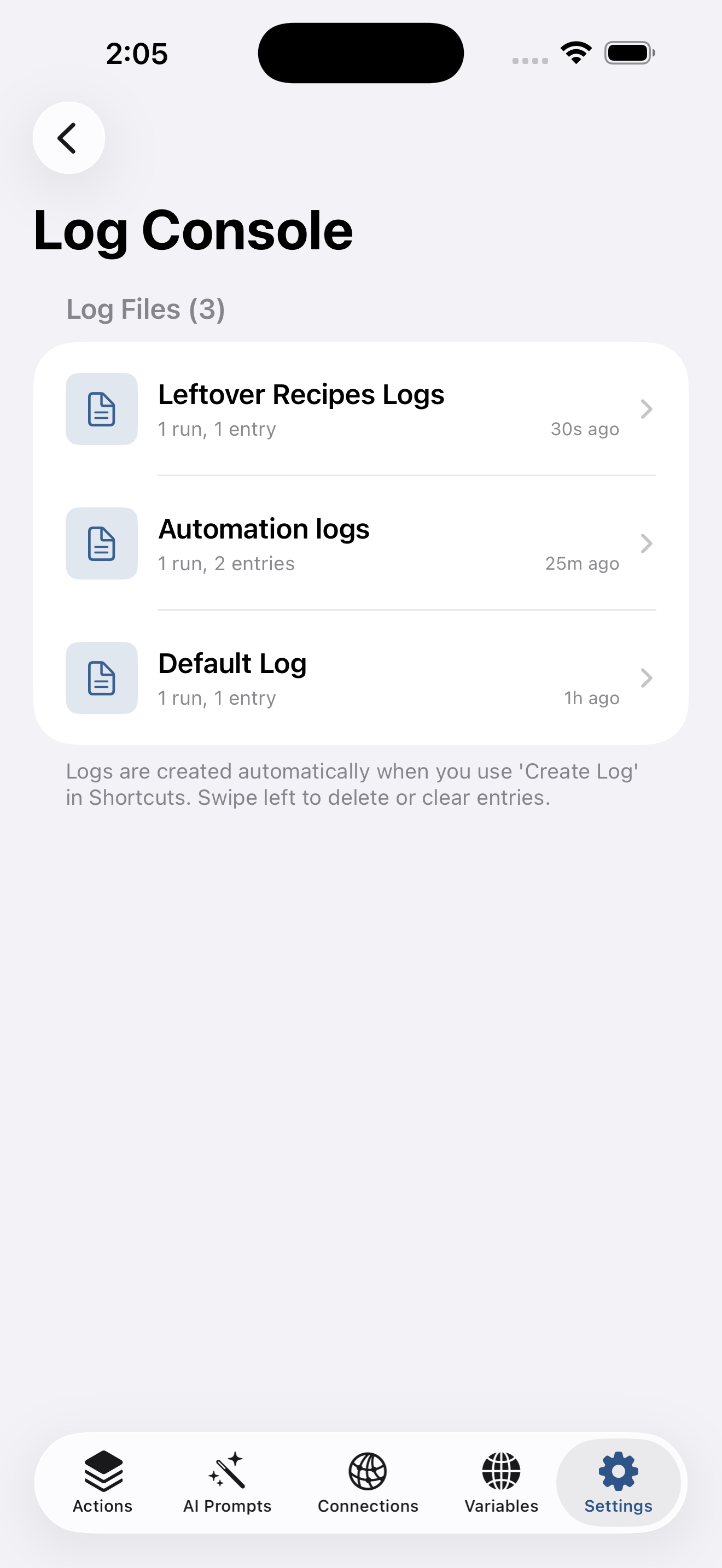
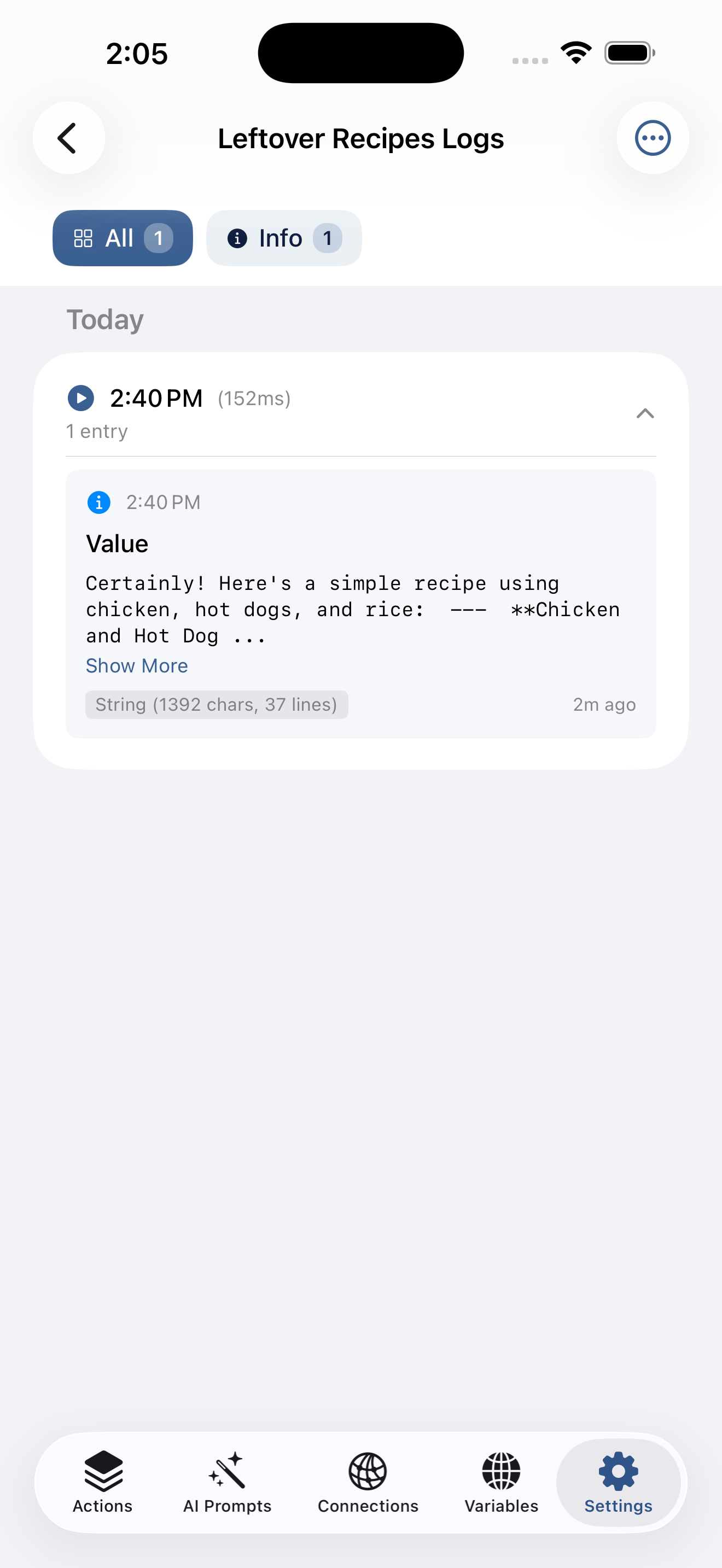
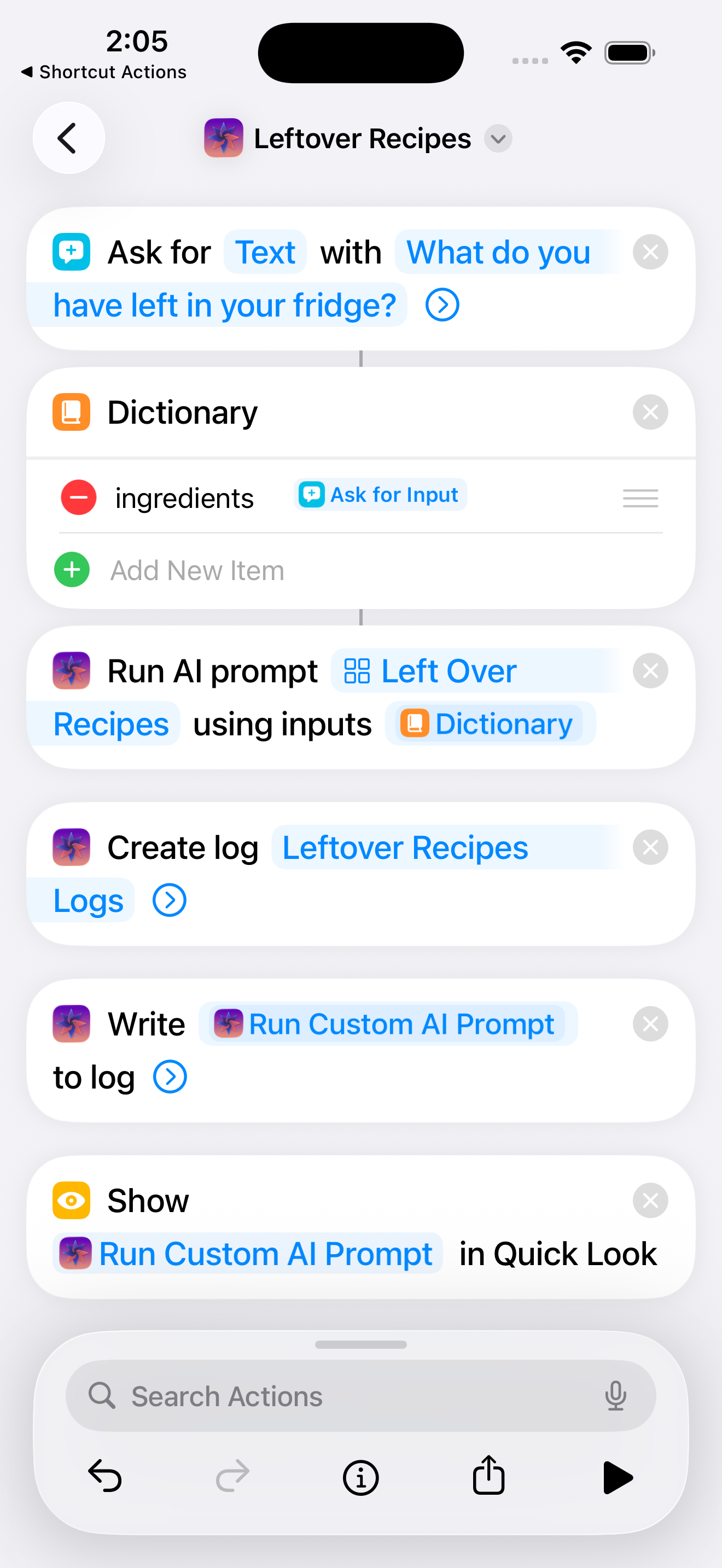
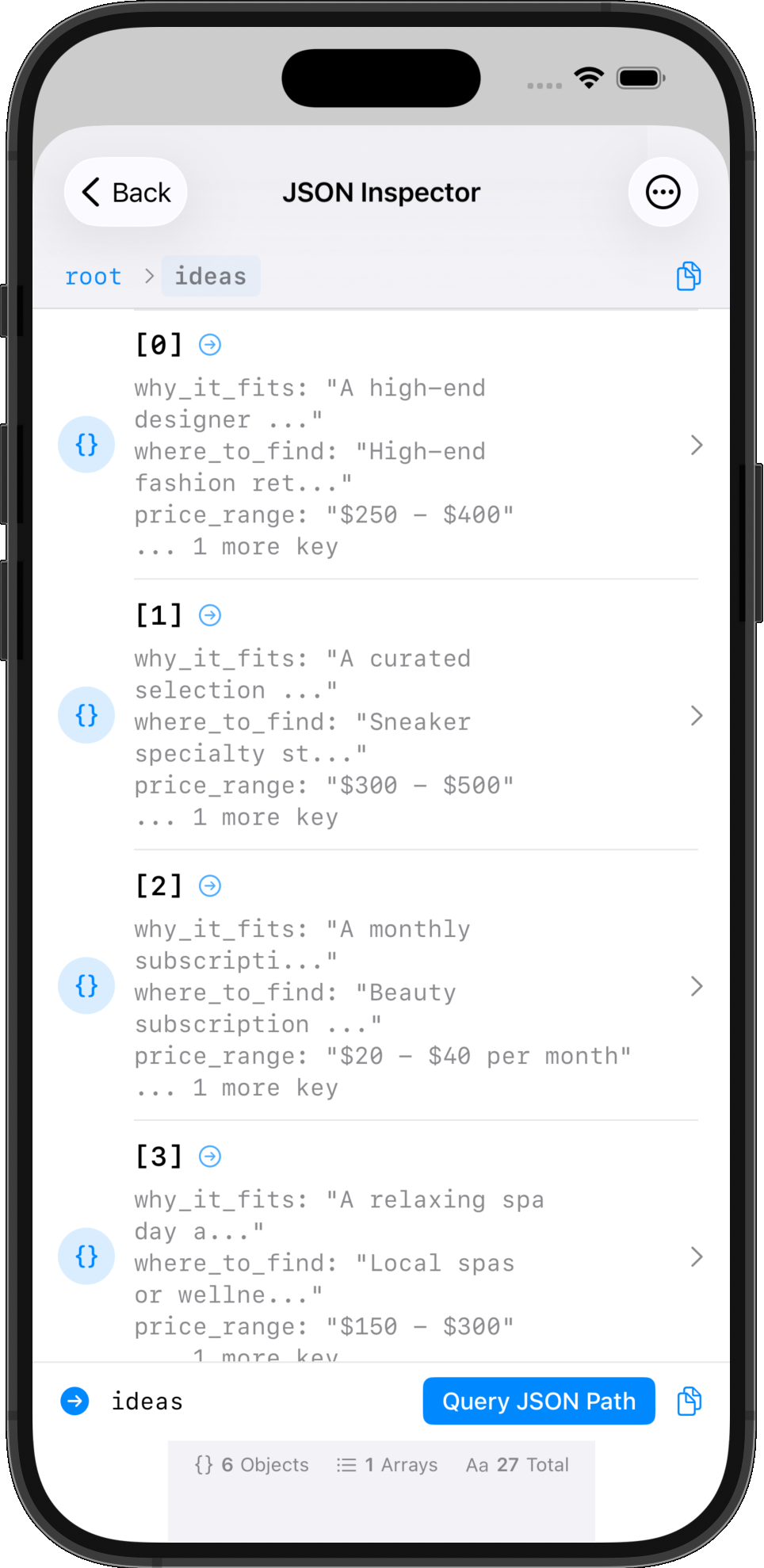
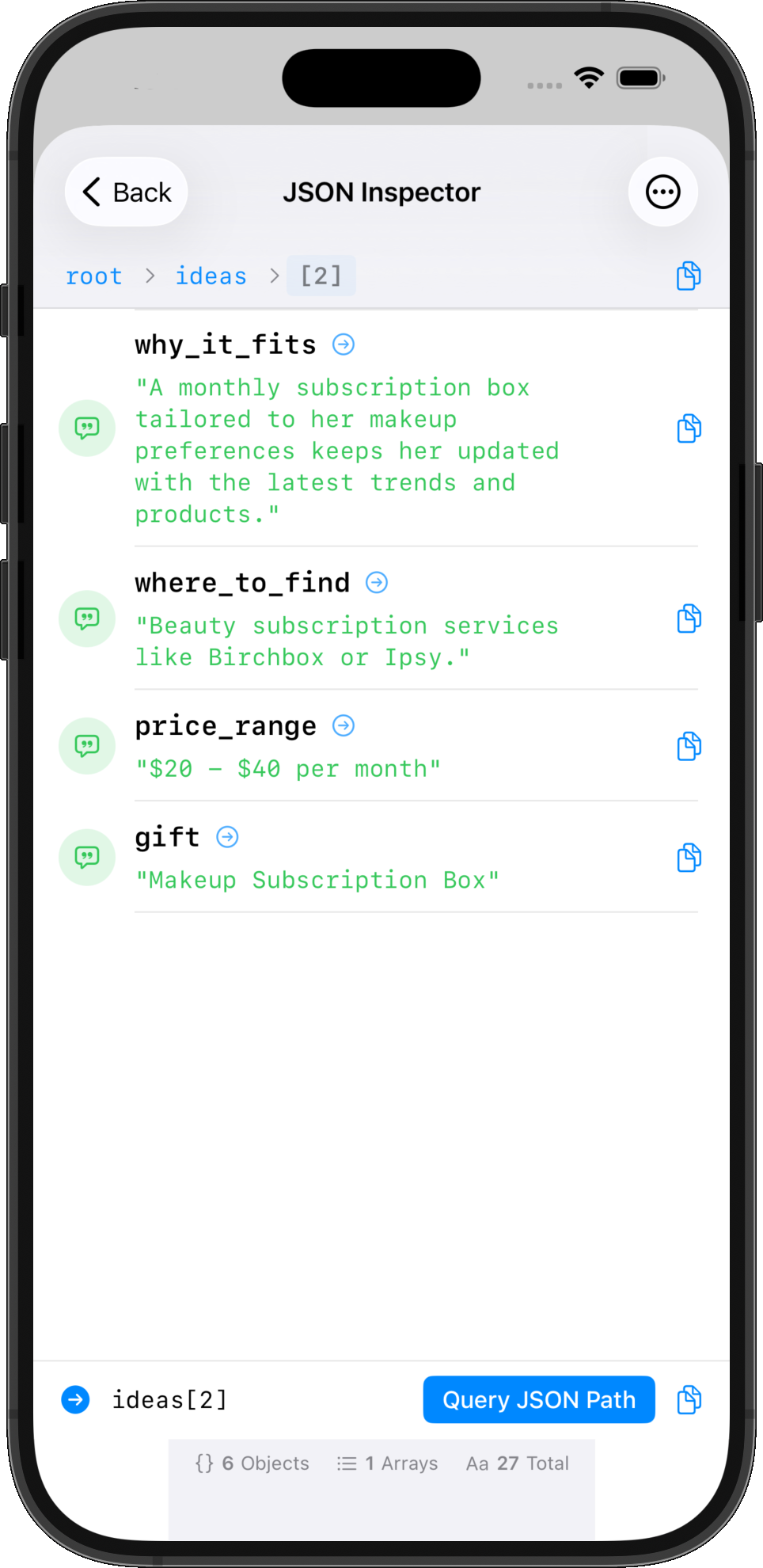
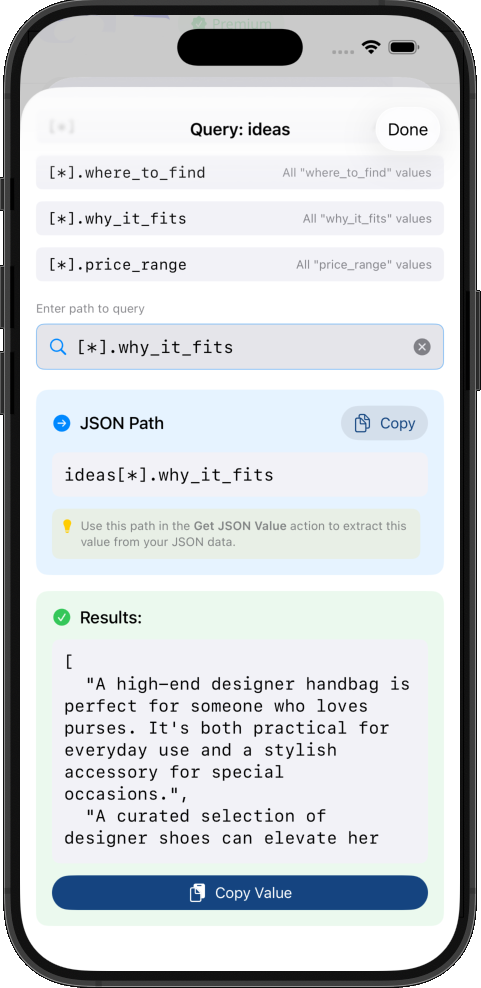
Professional debugging with organized log files, grouped by runs, color-coded severity levels, and persistent history. Testing features include JSON inspector with interactive navigation and path queries for API testing and complex data structures.
Global Variables
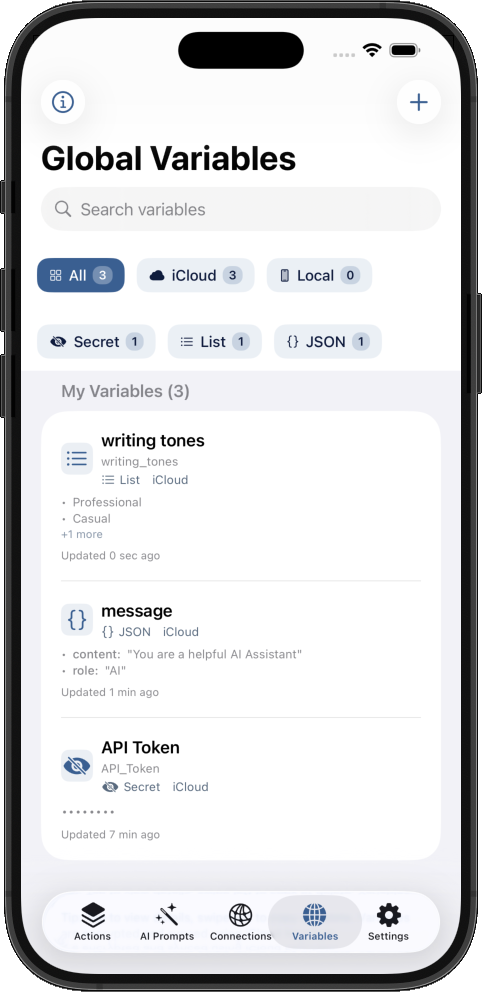
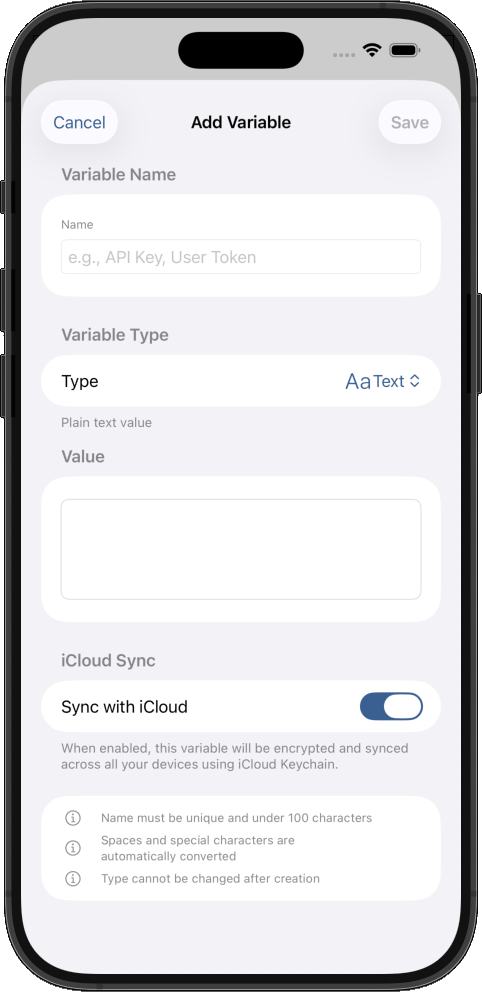
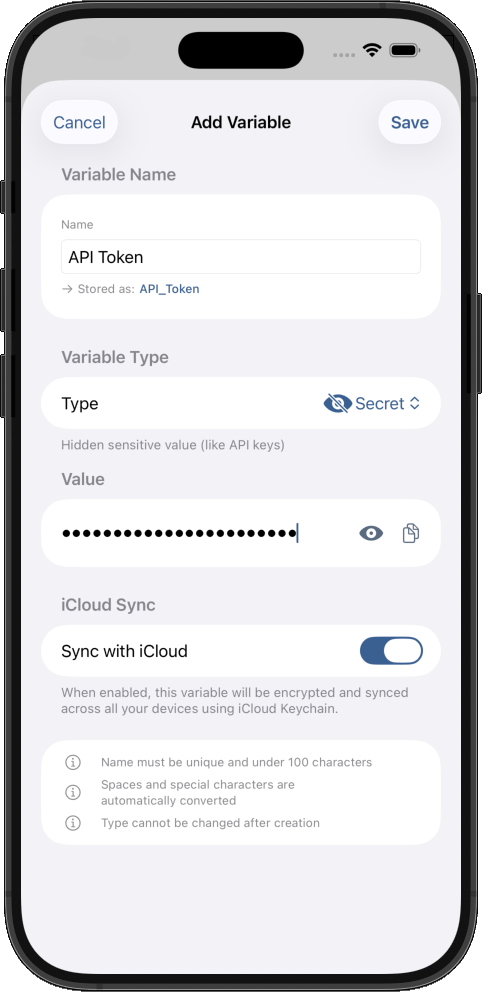
Store authentication keys, tokens, and settings securely in iCloud Keychain. Access them across all your shortcuts with end-to-end encryption.
Advanced Clipboard
Professional clipboard manager with unlimited history, smart pinboards, powerful search filters, and secure deletion. Organize clipboard items by content type, date range, or custom categories with auto-expiration.
Automation
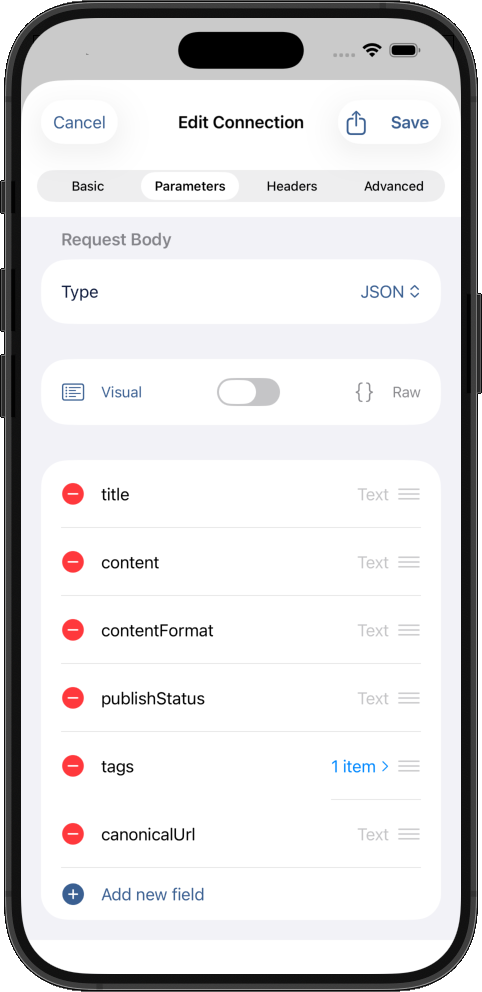
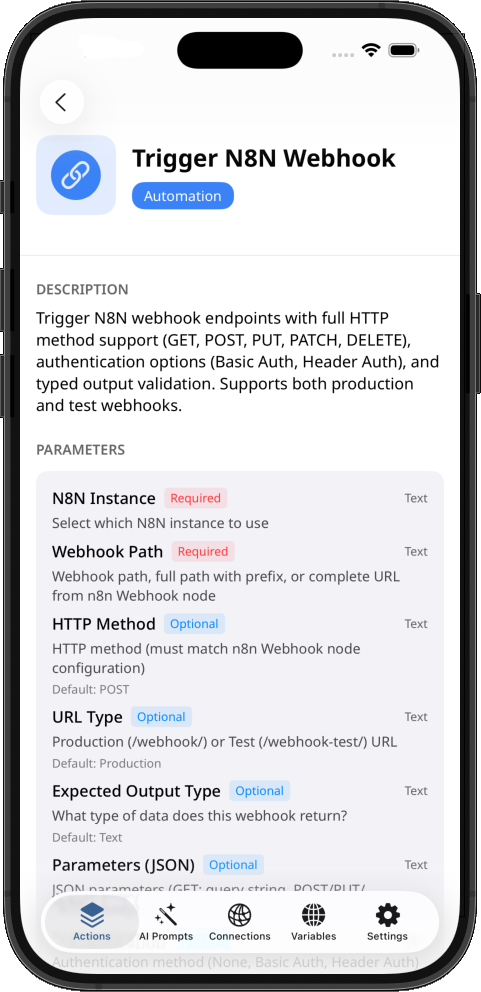
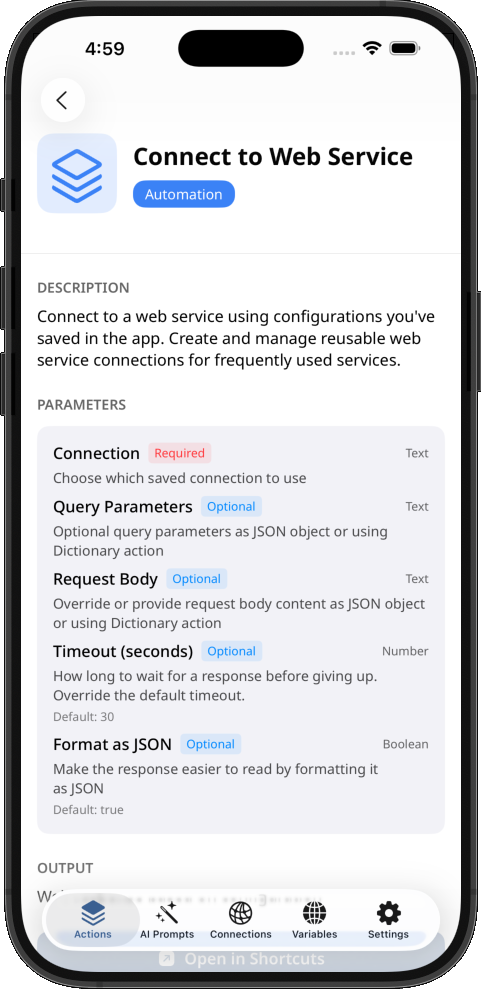
Connect to any web service with saved configurations, sync Notion databases, monitor n8n workflows, and build custom integrations. Manage reusable connections and automate complex workflows without coding.
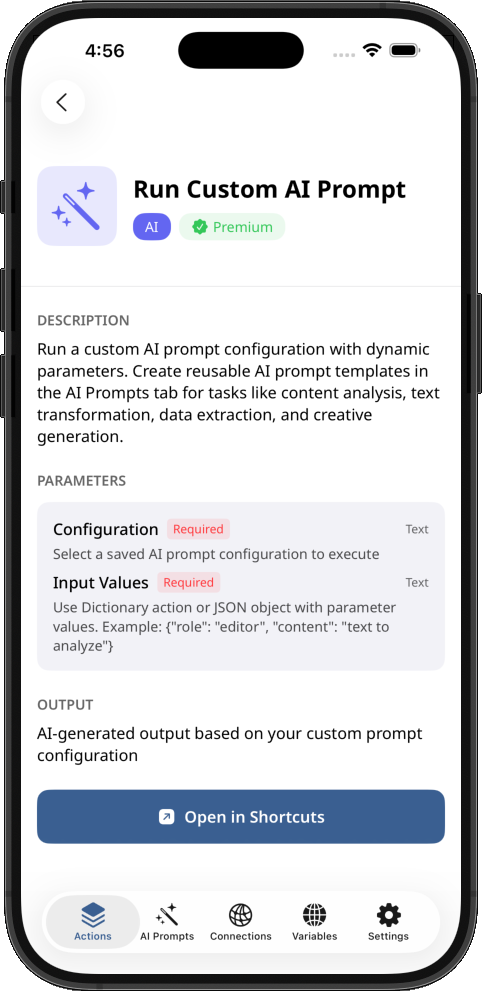
AI Actions Built-In
Powered by Apple Intelligence for Shortcuts
- ✓
Private On-device processing with Apple Intelligence
- ✓
Extract contact info from business cards
- ✓
Parse invoices and receipts automatically using visual intelligence
- ✓
AI prompts manager with mobile-friendly editing interface
- ✓
Analyze meeting notes for action items
- ✓
32+ ready-to-use AI prompt templates
- ✓
All AI processing happens on-device - complete privacy
- ✓
No data is sent to external servers
Ready-to-Use AI Prompt Templates
Pre-built prompts for everyday tasks. Reuse them in multiple shortcuts. Manage them in the app and automatically syncs with all your devices.
Email Draft Generator
Generate professional email drafts from brief descriptions
Social Media Post Creator
Generate engaging social media posts
Quick Reply Generator
Generate multiple reply options for messages and emails
Content Rewriter
Rewrite text in different tones and styles
Meeting Notes Formatter
Transform raw meeting notes into structured summaries
TLDR Generator
Create ultra-short summaries of any text
Event Details Extractor
Extract structured event details from text for calendar automation
Sentiment Analyzer
Analyze the emotional tone and sentiment of any text
Language Simplifier
Simplify complex text for better readability
Global Variables
Secure variable storage for Shortcuts
- ✓
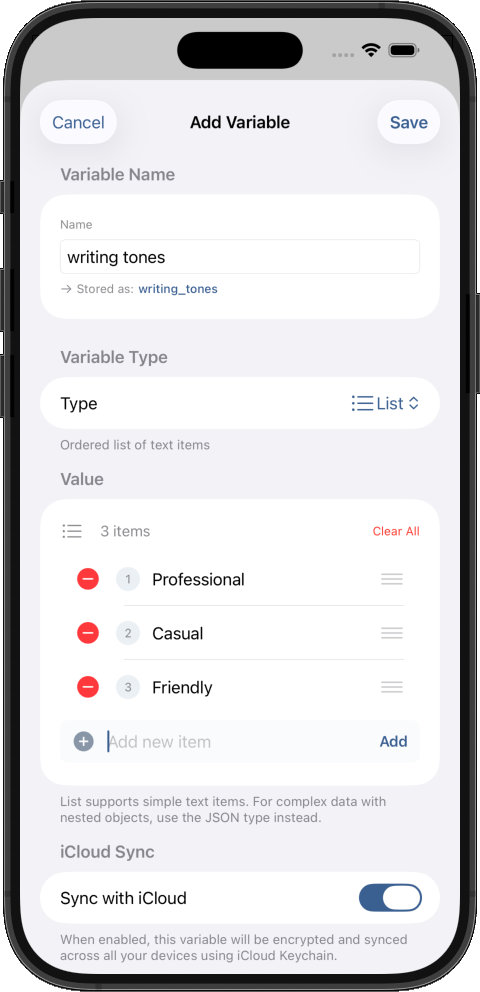
Mobile-friendly UI for adding text, number, password, list and JSON variables
- ✓
Store authentication keys and tokens securely for your shortcuts
- ✓
Auto sync across all your devices
- ✓
Access variables from any shortcuts instantly
- ✓
Encryption using iCloud Keychain
- ✓
Same security Apple uses for your passwords and credit cards
Explore 78+ Powerful Actions
From AI-powered, data storage to automation tools, discover actions that make automation effortless for Shortcuts
Extract Contact Info
Extract structured contact information from text or images like business cards using Apple Intelligence
Set Global Variable
Set or update a global variable value. Variables sync across your devices via iCloud
Get Text From Images (OCR)
Extract text from images using optical character recognition
Reusable AI Prompts
Create and reuse custom AI prompts with variables for consistent results across shortcuts
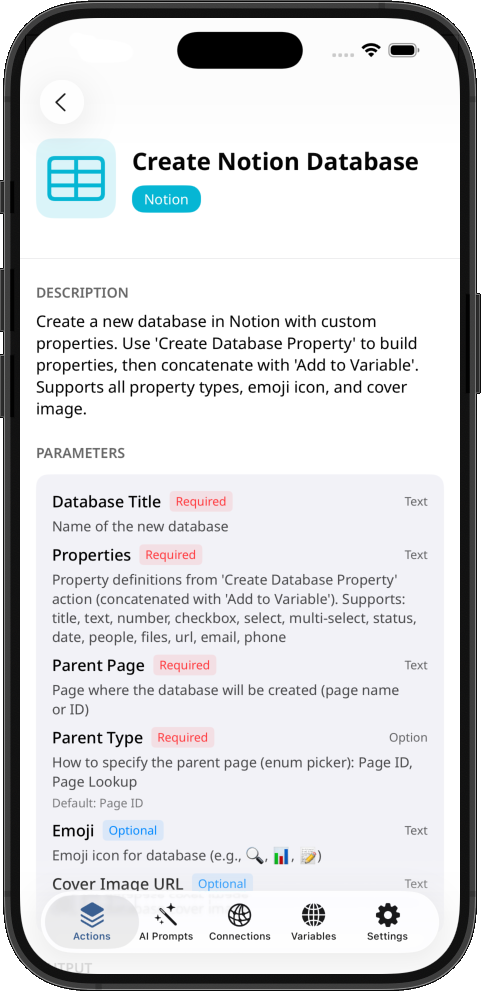
Create Notion Database
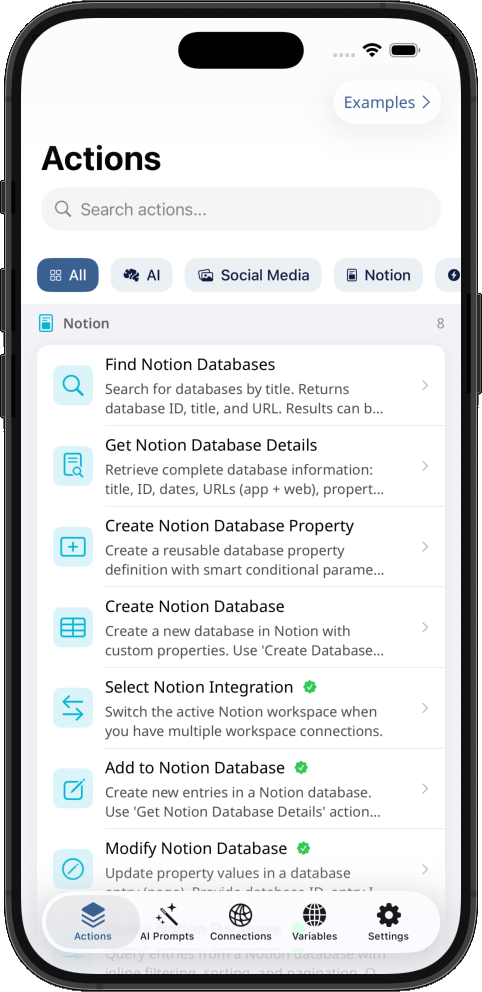
Create new Notion databases with custom properties, emoji icons, and cover images
Extract Invoice/Receipt Data
Extract structured data from invoices and receipts: vendor, date, amount, and line items
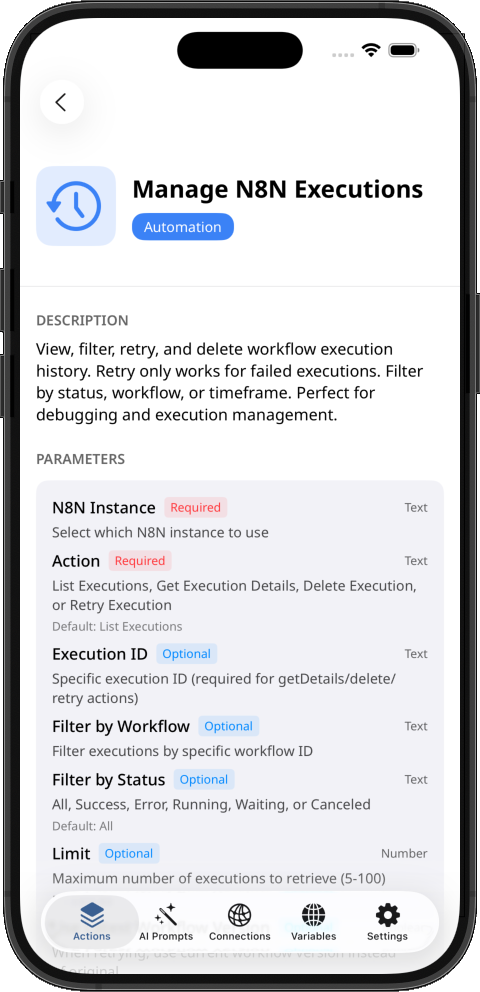
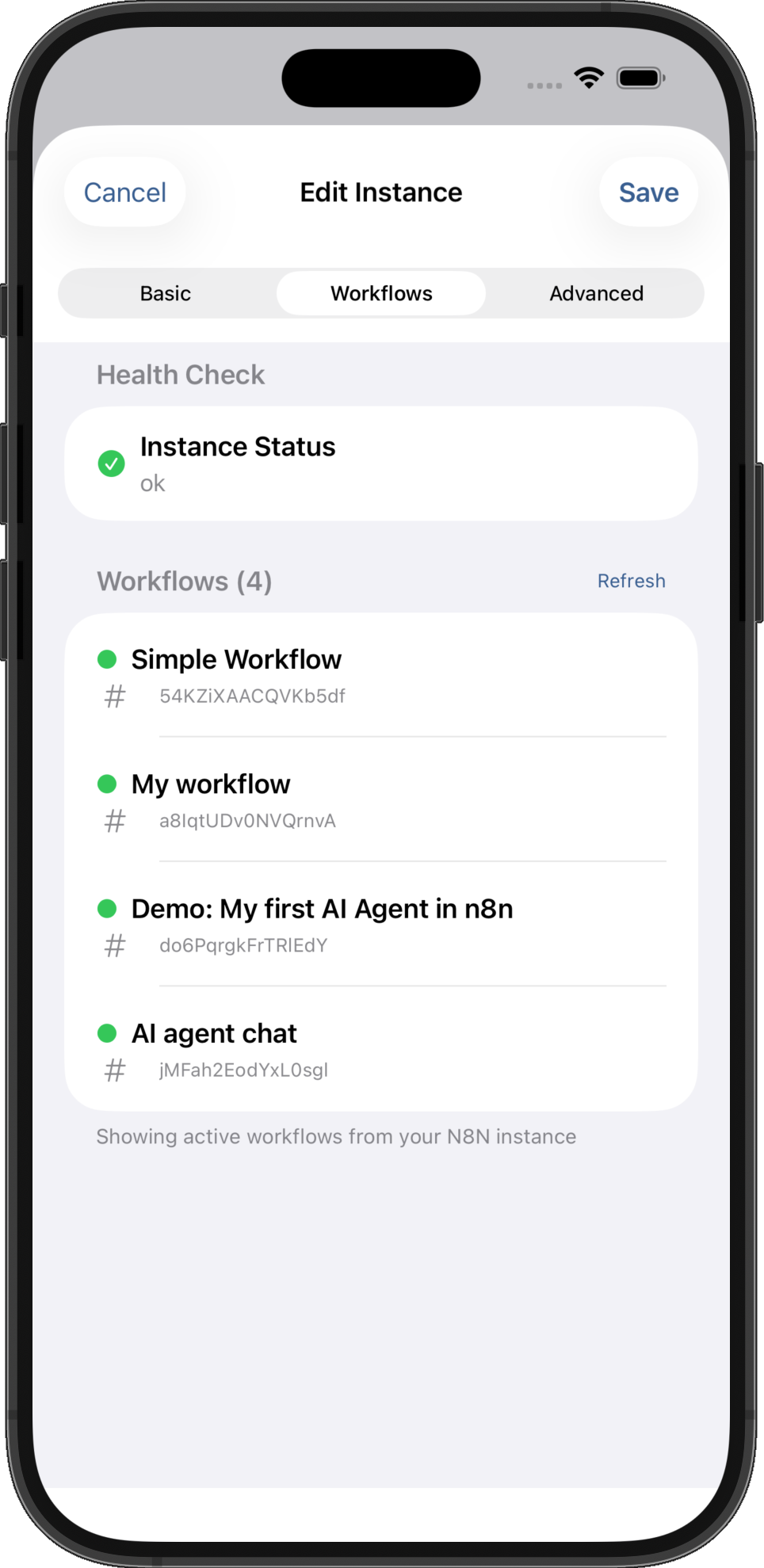
Manage N8N Executions
View, filter, retry, and delete n8n workflow execution history with advanced filtering
Generate Task Breakdown
Transform project ideas into structured task breakdowns with phases and timelines using AI
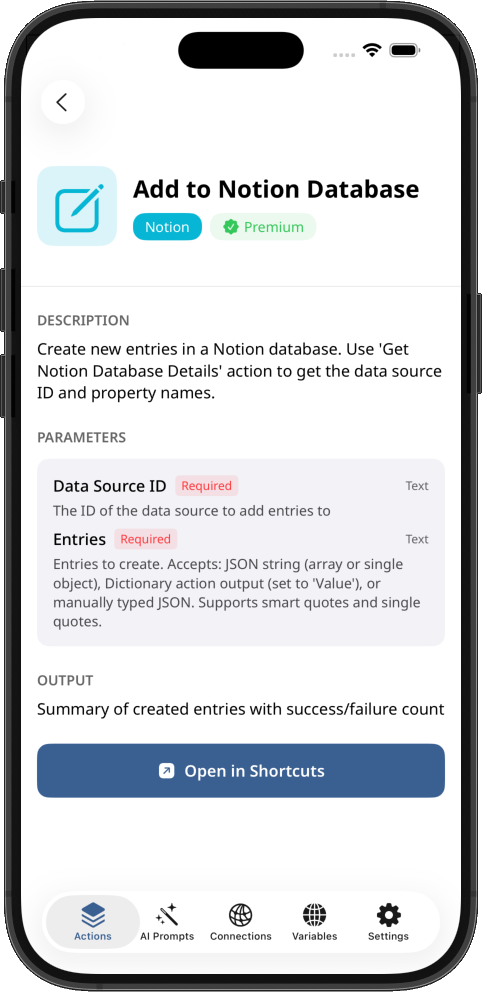
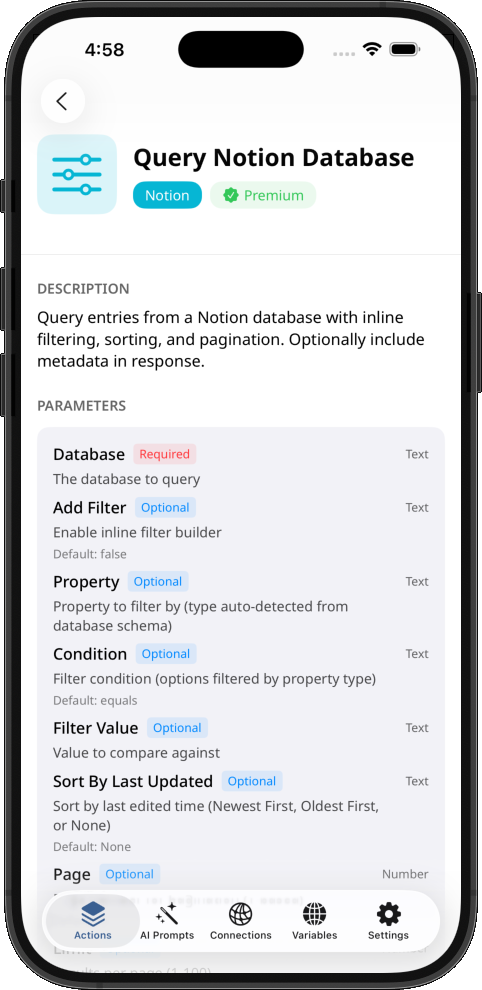
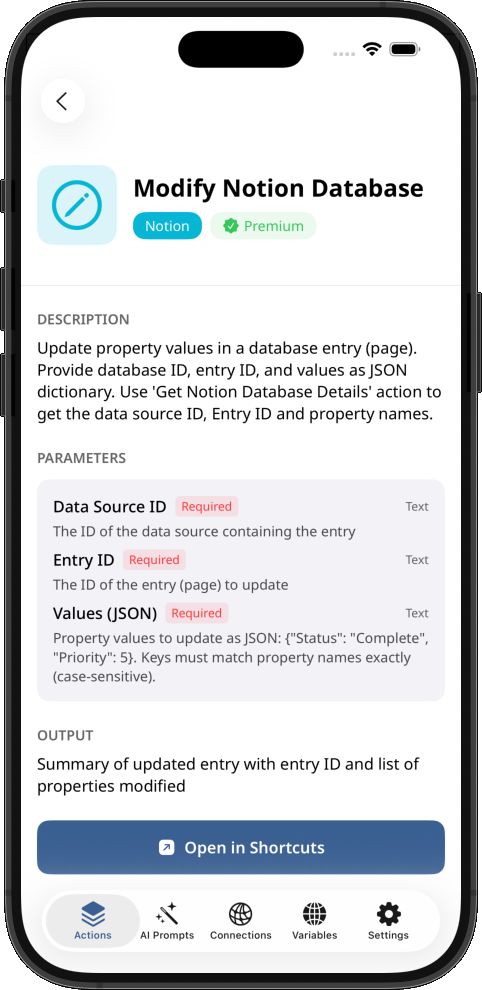
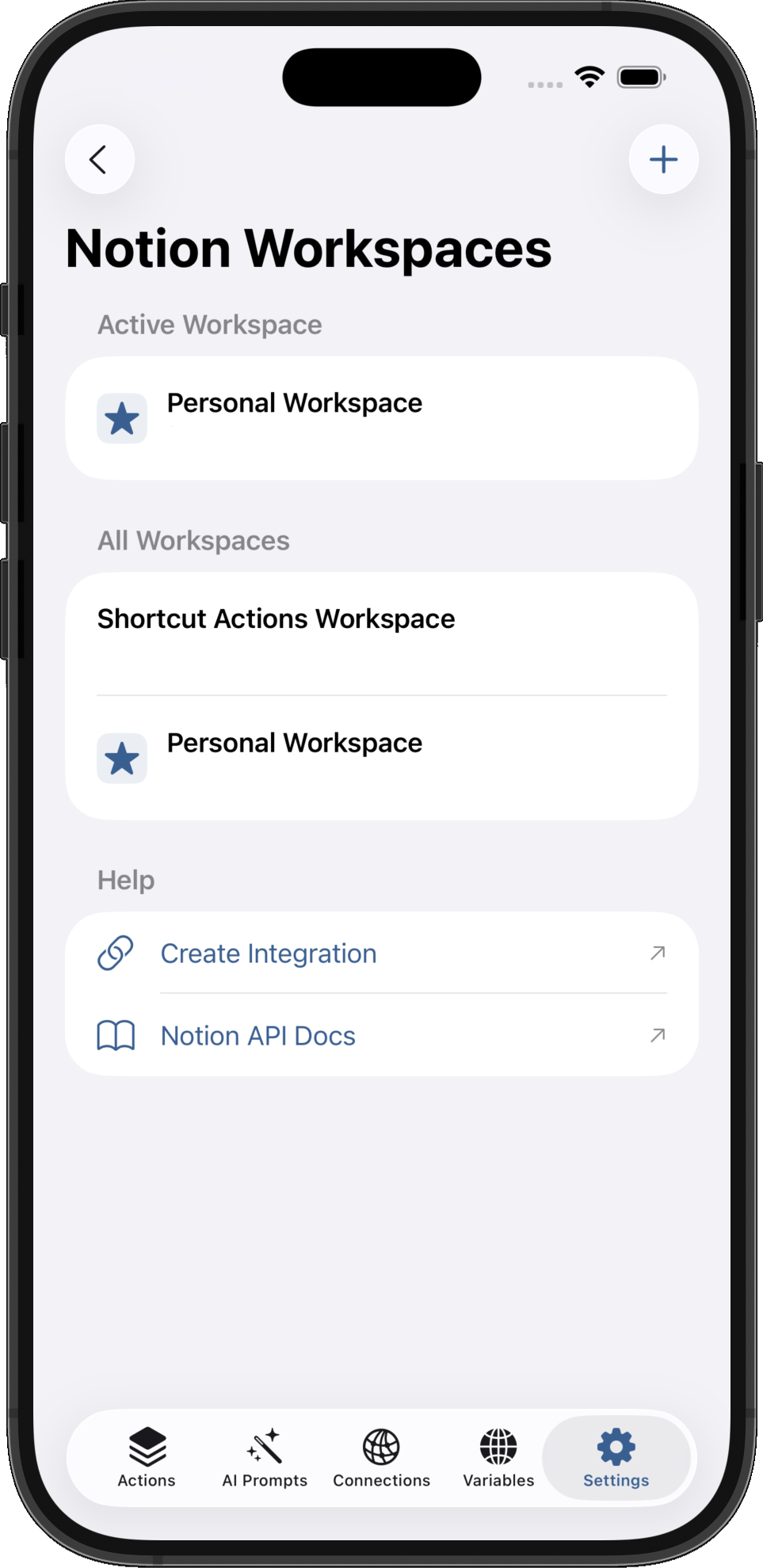
Powerful Integrations
Notion & n8n Automation actions for Shortcuts
- ✓
Manage Notion databases with create, update, delete operations using Shortcuts
- ✓
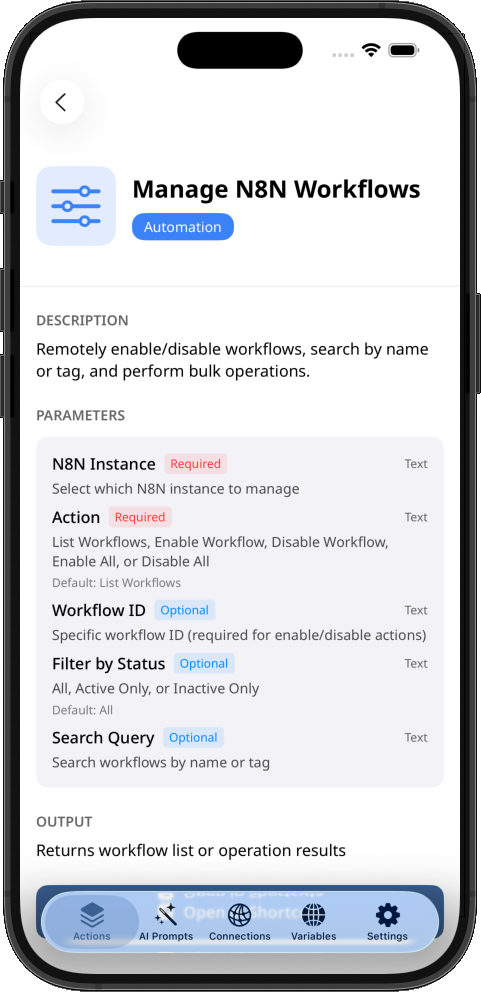
Monitor and control n8n workflow executions
- ✓
Actions to query and filter Notion entries with advanced sorting for Shortcuts
- ✓
Retry failed n8n workflows and track execution history
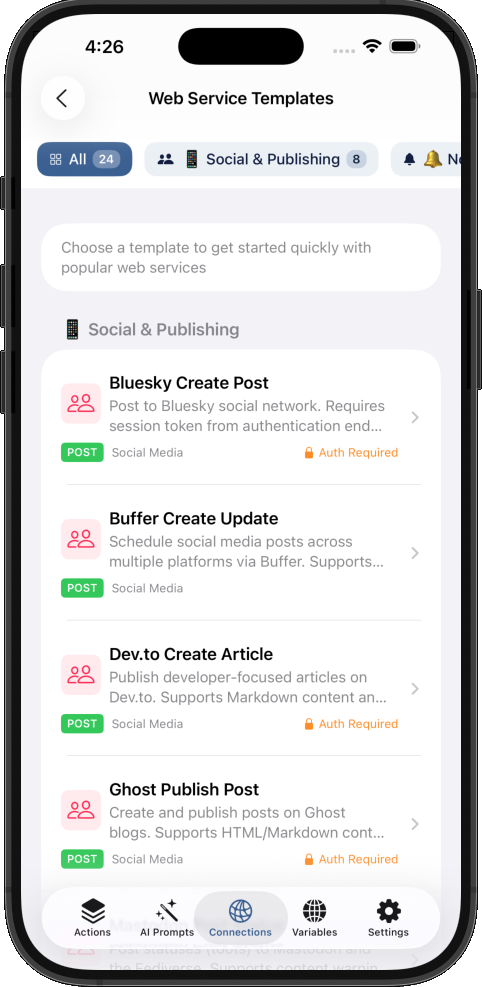
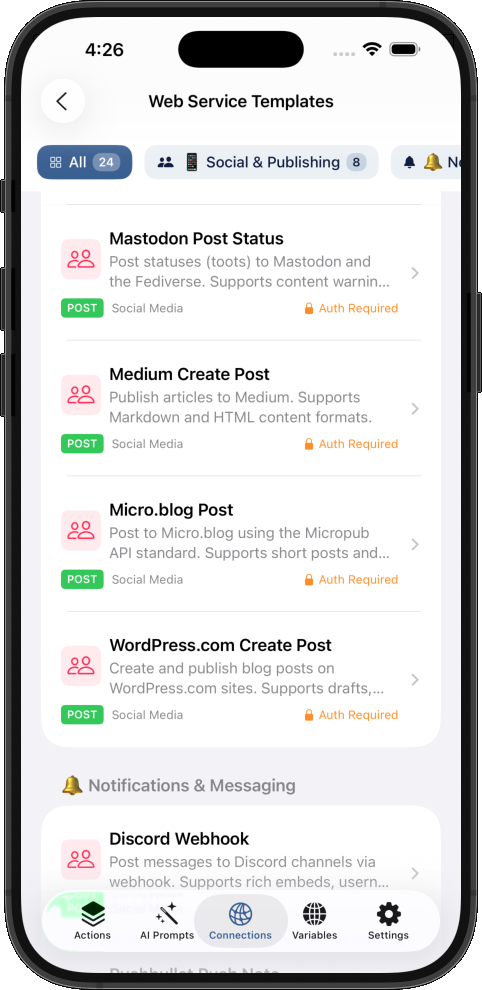
Connect to Popular Web Services
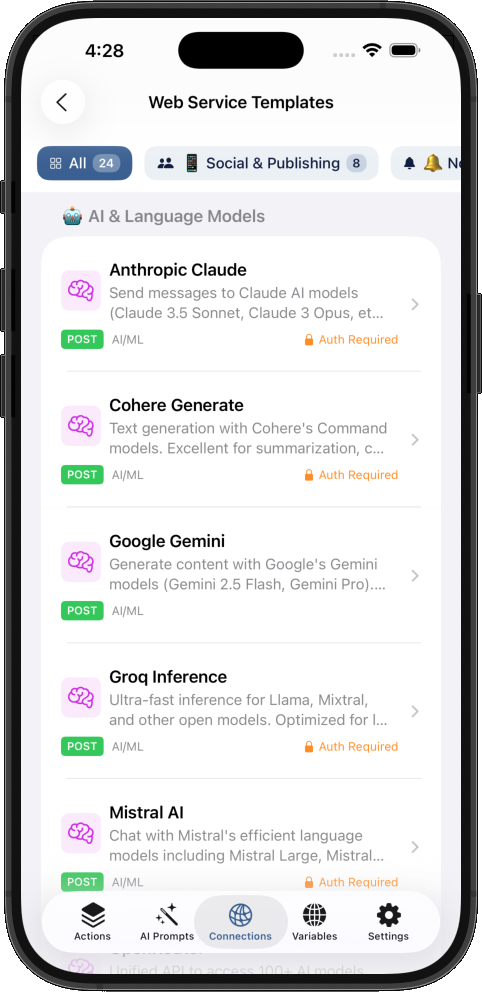
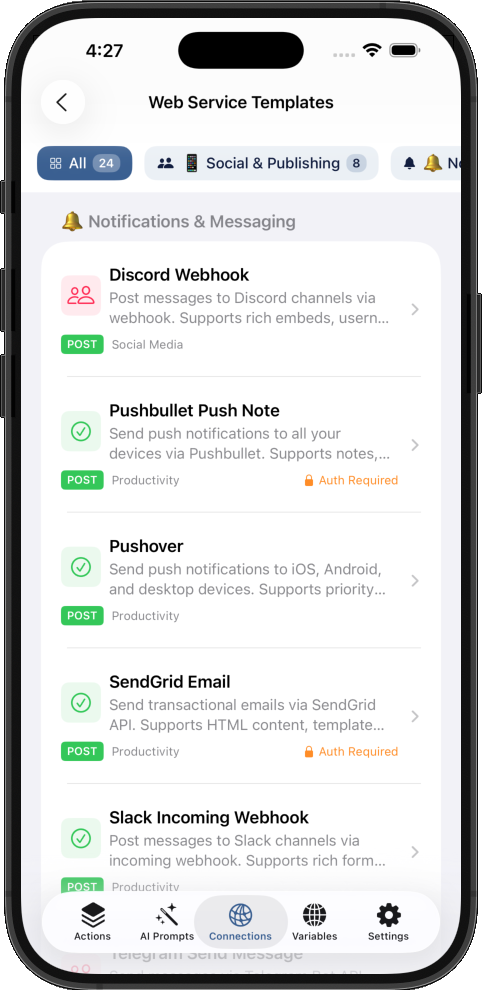
Pre-configured web connectors for instant integration with your favorite services directly in your Shortcuts.
Anthropic Claude
Send messages to Claude AI models (Claude 3.5 Sonnet, Claude 3 Opus, etc.) for text generation, analysis, and conversation.
Google Gemini
Generate content with Google's Gemini models (Gemini 2.5 Flash, Gemini Pro). Supports text and multimodal inputs.
OpenRouter
Unified API to access 100+ AI models including GPT-4, Claude, Llama, Mistral, and more through a single endpoint.
Discord Webhook
Post messages to Discord channels via webhook. Supports rich embeds, username/avatar customization.
Slack Incoming Webhook
Post messages to Slack channels via incoming webhook. Supports rich formatting with Block Kit.
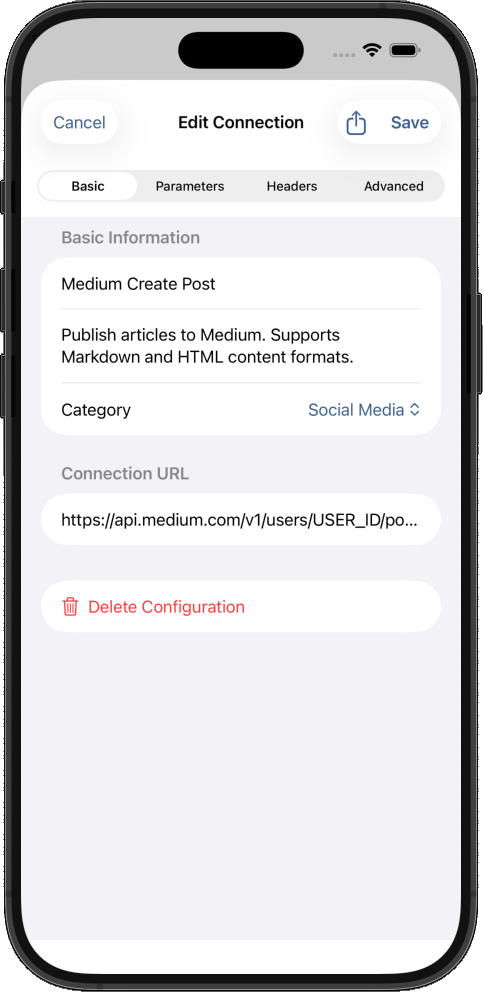
Medium Create Post
Publish articles to Medium. Supports Markdown and HTML content formats.
WordPress.com Create Post
Create and publish blog posts on WordPress.com sites. Supports drafts, scheduled posts, and categories.
Bluesky Create Post
Post to Bluesky social network. Requires session token from authentication endpoint.
Pushover
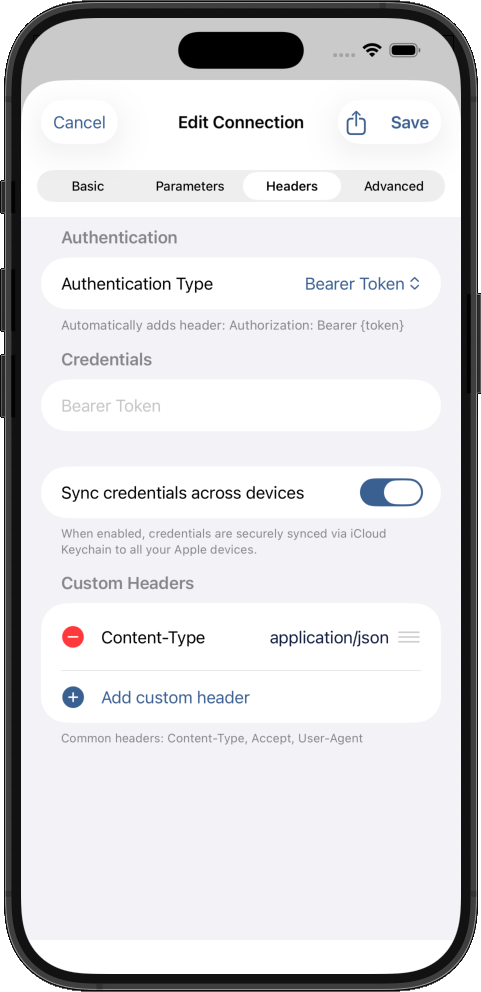
Send push notifications to iOS, Android, and desktop devices. Supports priority levels, sounds, and attachments.
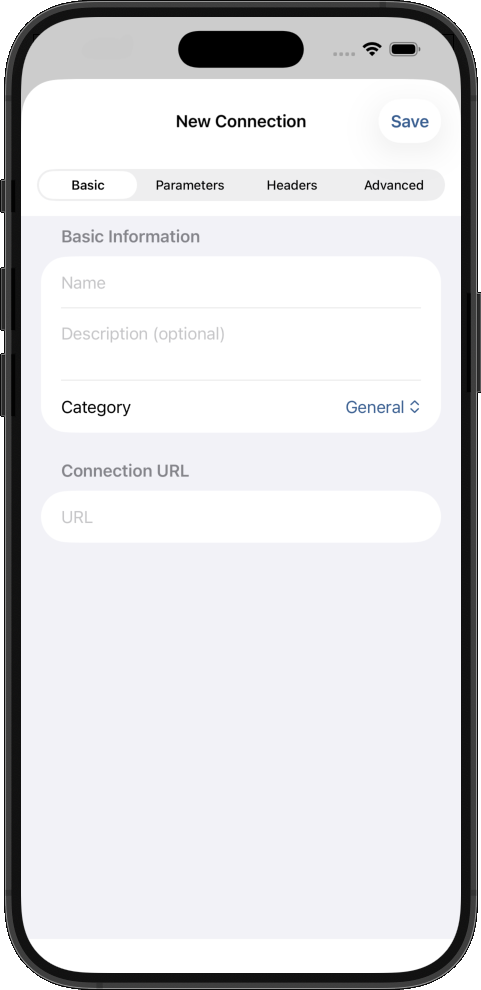
Web Connectors
Securely connect to any web service in Shortcuts
- ✓
Mobile-friendly UI for managing connections to web services
- ✓
Auto sync your web connections across all your devices
- ✓
Access saved web connections from any shortcuts instantly
- ✓
25+ web connectors for top LLM models, social media, blogs and more
- ✓
Store web service authentication securely
- ✓
Same security Apple uses for your passwords and credit cards
Advanced Clipboard Manager
Intelligent History & Organization for Shortcuts
- ✓
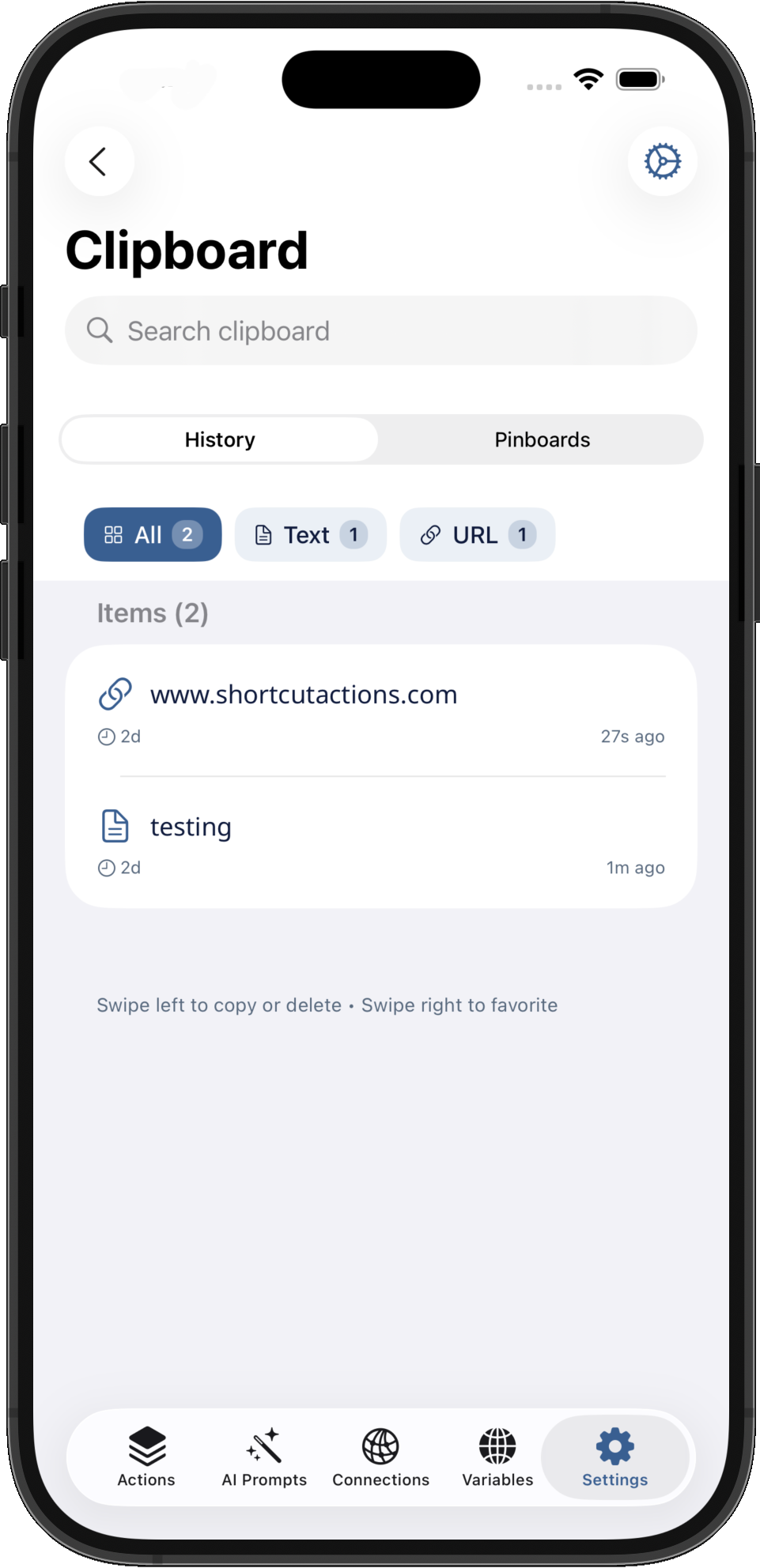
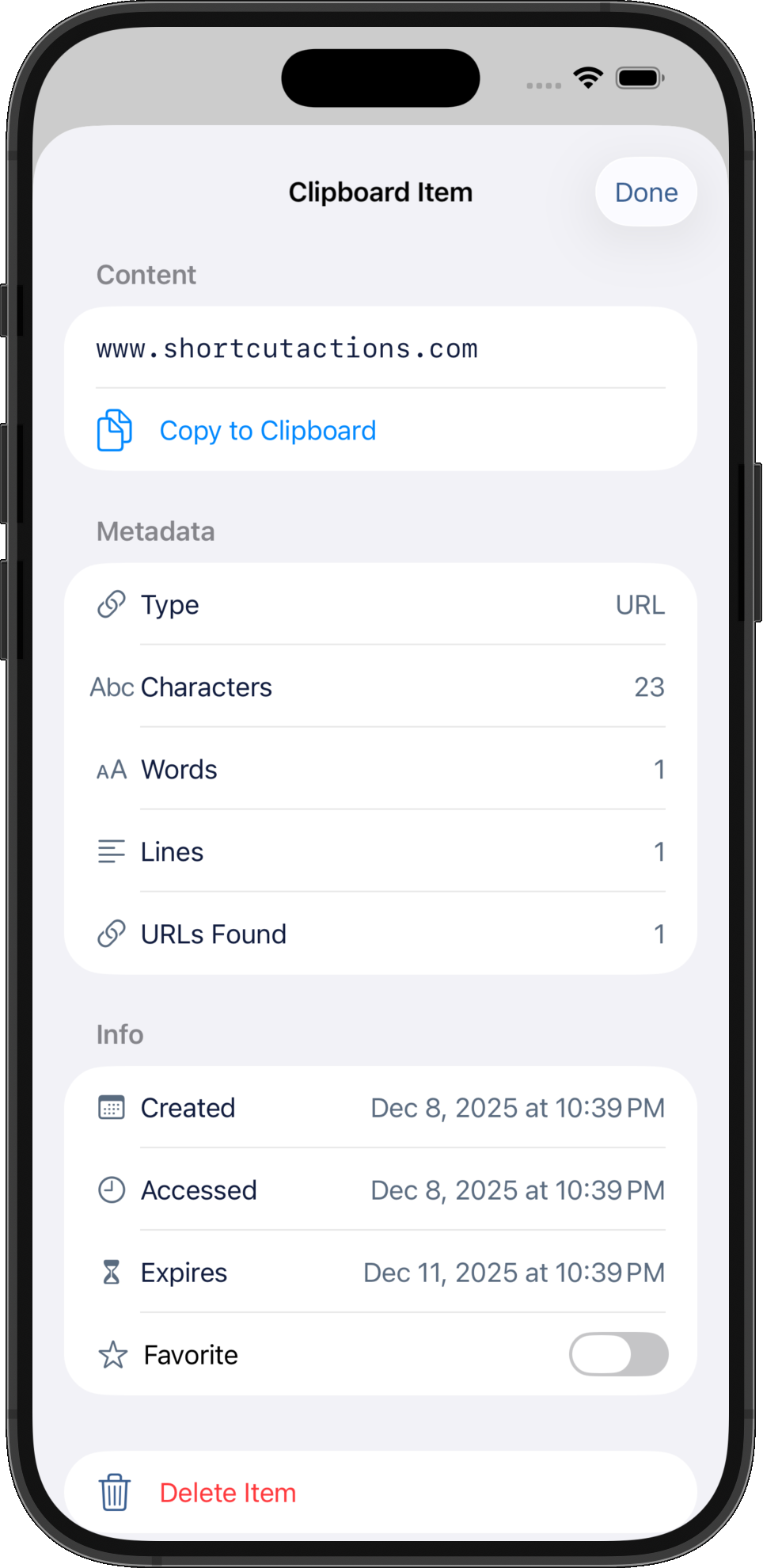
Smart clipboard history with automatic metadata extraction
- ✓
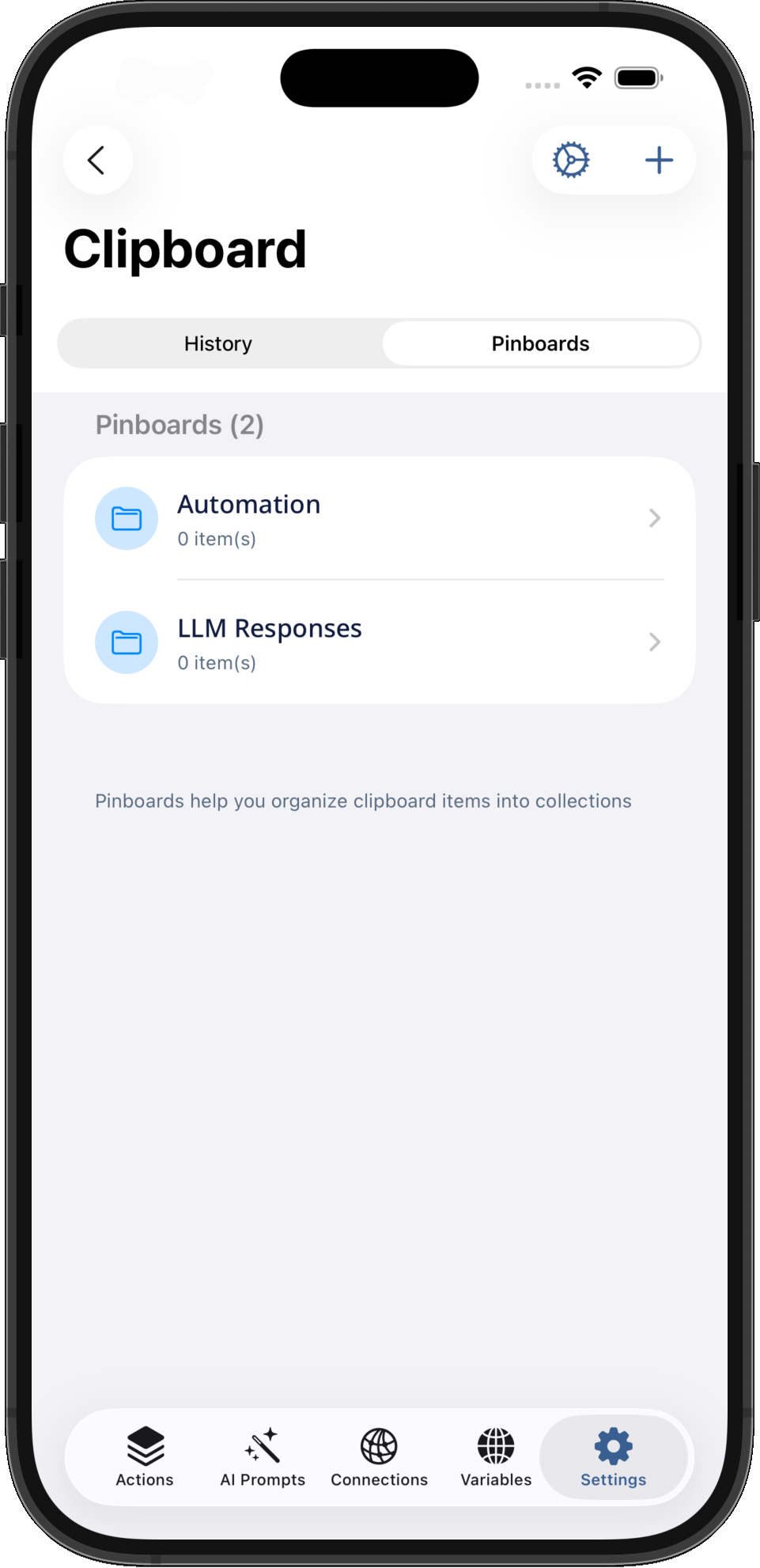
Organize clips with customizable pinboards and icons
- ✓
Filter by content type, date range, or search query
- ✓
Auto-expiration from 5 minutes to permanent storage
- ✓
Easily copy multiple text and paste them in any shortcuts
- ✓
Detect URLs, emails, phone numbers, and JSON automatically
- ✓
Track character counts, word counts, and line counts
- ✓
Export clipboard history in text or JSON format
Debugging Tools
Professional logging and JSON inspection for testing complex workflows
- ✓
Professional Log Console with persistent history and run grouping
- ✓
Color-coded severity levels: debug, info, success, warning, error
- ✓
Organized log files with labels, tags, and searchable entries
- ✓
Interactive JSON inspector with visual tree navigation
- ✓
JSON path queries with live results and copy functionality
- ✓
Quick preview and copy JSON data in Shortcuts widget
Frequently Asked Questions
Everything you need to know about Shortcut Actions
What is Shortcut Actions?
Shortcut Actions is an iOS app that adds 78+ powerful custom actions to Apple Shortcuts. It extends the native Shortcuts app with advanced actions powered by Apple Intelligence, with reusable custom AI prompts, Notion database integration, global variables, OCR, web service connections, n8n automation and more.
How do I use actions in my shortcuts?
After downloading the app, open the Shortcuts app on your iPhone. When creating or editing a shortcut, search for "Shortcut Actions" in the actions library. All 78+ actions will appear and can be dragged into your shortcut workflow.
What's the difference between Free and Premium?
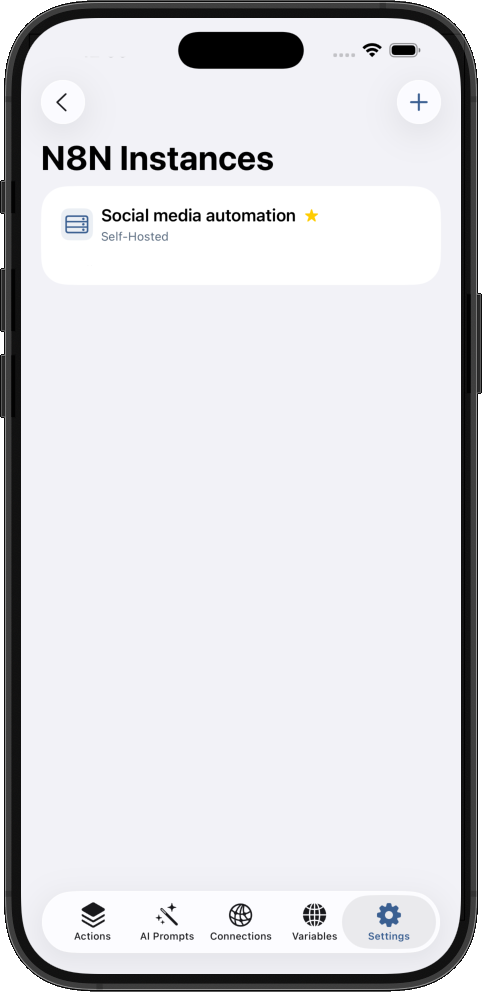
The free version includes 41 actions covering variables, text manipulation, lists, web service connections, Notion database basics, and automation tools. Premium ($9.99 one-time) unlocks 37 premium actions including 15 AI-powered features (contact extraction, invoice parsing, OCR, meeting analysis, document classification) plus advanced Notion database operations. It also unlocks usage limitations for unlimited AI prompts, clipboard history, n8n instances, notion workspaces and web connections.
Can I send messages to Discord or Slack from my iPhone shortcuts?
Yes! Shortcut Actions includes pre-configured templates for Discord webhooks and Slack incoming webhooks. Send automated notifications, alerts, or messages to any Discord server or Slack channel directly from your shortcuts. Perfect for home automation alerts, task completion notifications, or team updates—all without writing code.
Can I use ChatGPT, Claude, or Gemini AI in my shortcuts?
Absolutely! Shortcut Actions provides ready-to-use API templates for popular AI services including Anthropic Claude, Google Gemini, OpenRouter (access to 100+ AI models), Groq, Mistral, and more. Connect your own API keys and build powerful AI-powered automations like content generation, text analysis, or smart assistants—all from Apple Shortcuts.
How do I automate posting to social media from my iPhone?
Shortcut Actions includes API templates for publishing to Medium, WordPress, Bluesky, Mastodon, and more. Create shortcuts that draft content, schedule posts, or publish articles automatically. Combine with AI templates to generate social media content and publish it in a single automation workflow.
Can I extract data from Instagram, TikTok, or YouTube on my iPhone?
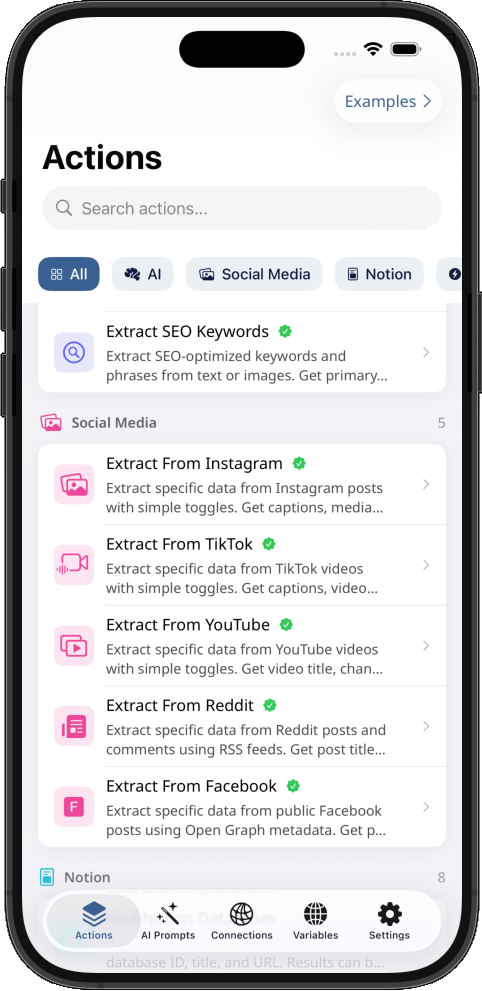
Yes! Shortcut Actions includes dedicated extraction actions for Instagram, TikTok, YouTube, Reddit, and Facebook. Extract captions, hashtags, video URLs, thumbnails, view counts, engagement metrics, and more. Perfect for content creators, social media managers, and researchers who need to automate content collection and analysis.
How do I save TikTok or Instagram videos to my camera roll using shortcuts?
Use the "Extract From TikTok" or "Extract From Instagram" actions to get the direct video URL, then use native Shortcuts actions to download and save to your camera roll. No watermarks, no third-party apps needed—just paste the link and run your shortcut. Works with posts, reels, and stories.
Can I get YouTube video title and description without an API key?
Yes! The "Extract From YouTube" action in your shortcuts to pulls video title, channel name, description, thumbnail URL, and view counts directly from public video pages—no YouTube API key required. Works with both youtube.com and youtu.be links. Output in plain text or JSON for easy processing in your shortcuts.
Is my AI data private? Does it leave my device?
Your AI data stays completely private when you use Shortcut Actions in your shortcuts. All AI-powered actions use Apple Intelligence, which processes everything on-device using the Neural Engine. Your text, images, documents, and prompts never leave your iPhone—no data is sent to external servers, no cloud processing, and no third-party access. This is true privacy by design.
How are my API keys and passwords stored securely?
All sensitive credentials are stored in encrypted global variables using iCloud Keychain—the same security Apple uses for your passwords and credit cards. Data is encrypted end-to-end with keys only you control. Your API keys, tokens, and secrets sync securely across your devices and are never accessible to us or any third party.
Does Shortcut Actions work with Notion?
Yes! Shortcut Actions includes 8 actions for managing Notion databases directly from Apple Shortcuts. Create, query, update, and manage Notion databases with both free actions (find databases, get details, create properties/databases) and premium actions (switch workspaces, add/modify entries, advanced querying with filters and sorting).
Do I need an iPhone 15 Pro?
Only for AI-powered actions. The free actions work on any iPhone running iOS 26+. The 15 premium AI actions require an iPhone 15 Pro or newer with Apple Intelligence enabled.
Can I restore my premium purchase?
Yes! Premium is a one-time purchase tied to your Apple ID. If you reinstall the app or get a new device, tap "Restore Purchase" in the app settings to regain premium access at no additional cost.
How do I get support?
Visit our Support page for documentation, troubleshooting guides, and FAQs.
What's coming in future updates?
We're actively developing new actions based on user feedback. Upcoming features include more AI actions, cloud storage integrations, advanced text processing, and calendar/reminder management. Sign up for our mailing list or follow us on social media for update announcements.
Ready to Supercharge Your Shortcuts?
Join thousands of users who are building powerful AI & automation workflows with Shortcut Actions. Download free and start automating today.
From the Blog
Tips, tutorials, and guides for getting the most out of Apple Shortcuts & Automation